Geometry Dash-Platformer 拡散希望
Building My First Level: Discovering This Platformer Gem
So I've been deep in the editor lately, trying to build my own thing, you know? Late nights, headphones on, just trying to make a section that feels good. It's during these deep dives that you really start to appreciate the work others put in. That's how I found Geometry Dash-Platformer 拡散希望 (that means "please spread the word" in Japanese). This isn't just another fangame; it's a specific vision.
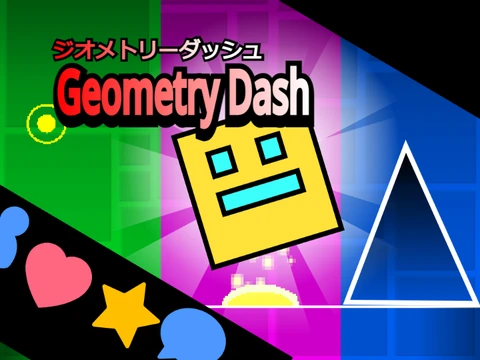
The creator states it clearly: "It is quite a confident work." And you can see why. They mention using music and sounds from @griffpatch, but then proudly declare: "The ground, player, spikes, etc., I drew myself." That's a big deal! In a sea of reused assets, custom art stands out. It gives the whole game a unique personality before you even press a key.
The controls are outlined for a true geometry dash gameplay experience but with a twist: "Left and right keystrokes. Respawn in R." This confirms it's a true platformer mode—moving freely along the X-axis, not just auto-scrolling. That's a different kind of challenge, more about exploration and precision than pure rhythmic memory. The creator also jokes, "Heart and Star and Diffuse Please. If you press the heart and star, the creator will be blown away!" That mix of pride and a plea for community feedback is so genuine.
Playing this made a couple of common creator questions pop into my head. First, How long does it take to 100% complete all achievements and coins? In a passion project like this, the "achievement" IS the completion of the game itself. The creator mentions they'll add more stages if they get 3000 views and 200 hearts/stars. So the "100%" is a moving target, co-created by the community's support. It's a live, breathing project.
Second, and more fundamentally, How do you create your first custom level? This game is a textbook example. Start with an idea ("I want a platformer"). Use available resources (Griffpatch tutorials for logic). Add your own flavor (hand-drawn art). Set a goal (community interaction metrics). Then you release it, with a mix of hope and nerves. This project perfectly follows that journey from a blank canvas terror to a shared creation.
There's also a technical layer. The creator's pride in their own art makes me think about performance. Using custom assets can be heavier. Which, funny enough, connects to that community tool: Mega Hack and its FPS bypass feature. While that's for the official PC game, the same principle applies everywhere: creators want their vision to run smoothly for players. This platformer feels optimized, thoughtful.
If you're looking for a different flavor of Geometry Dash on your geometry dash pc browser—something that leans more into exploration and showcases one person's artistic effort—this platformer is a lovely detour. It’s a confident work, indeed. And hey, give them that heart or star. Let's blow the creator away.



















































Discuss geometry dash