geometry dash test earlier
Geometry Dash Test Earlier: A Technical Game Engine Demo
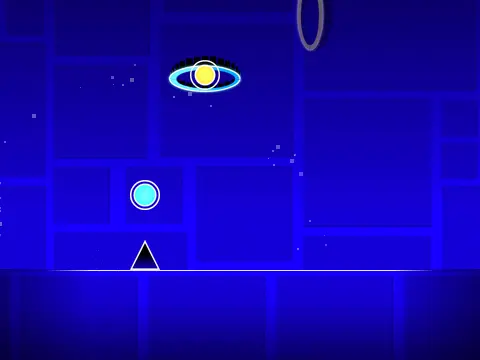
Geometry Dash Test Earlier is not a traditional game with levels, but rather a fully-functional game engine and technical demonstration rebuilt from an older Scratch project. It serves as a sandbox for understanding the Geometry Dash mechanics and a tool for basic level creation, showcasing a working editor, physics, and object interaction.
Core Gameplay and Practice Mode
Press the green flag to start, then use the SPACE bar to make your icon jump in the demo level. A dedicated practice mode is activated by pressing 'Z'. Within practice mode, you can set checkpoints by pressing 'Z' again and remove the last checkpoint with 'X', allowing for focused segment training common in rhythm games.
Comprehensive Level Editor
The project's most significant feature is its integrated level editor. To access it, switch the "Enter Edit Mode" variable slider and restart. Inside the editor:
- Use arrow keys to scroll the map.
- The object selector is controlled by 'ans' variables.
- Click on an existing object to copy its type.
- Press SPACE, then click an empty spot to place an object, or click an existing object to delete it.
- Select multiple objects by dragging from top-left to bottom-right, then move them with I, J, K, L keys (hold SPACE for fine movement). Press 'P' to delete the selection.
- Available objects include bumpers, rings, and portals (normal, ship, and gravity).
You can clear all objects by deleting the contents of the "Object data" list.
Technical Details and Performance
This engine is a rewrite of an earlier project, with all graphical resources manually extracted from the original game. It employs frameskip to maintain sync with the emulation speed. Advanced display modes like "pen mode" and native color support can be toggled via sliders (requiring a restart), though the latter may impact performance without Stage3D support. This demo is primarily for educational and experimental purposes.



















































Discuss geometry dash