press start geometry dash subzero
Press Start Geometry Dash Subzero: Not Just a Game, a Learning Sandbox
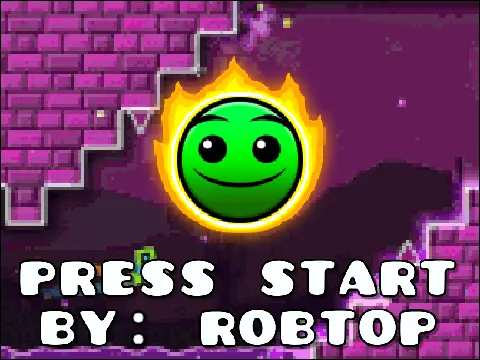
Let's dive right in. Imagine you're not just playing Press Start Geometry Dash Subzero, you're reverse-engineering it, in your own way. The very idea is a bit crazy, right? But that's the allure of these unique projects. They turn a finished product into a sandbox for learning, deconstruction, and appreciation.
The unique—and somewhat awe-inspiring—starting point for this version is the developer's recommendation to use the TurboWarp link. They straight-up say: "Try this on Turbowarp or refresh to load the project without question marks." This isn't a normal download; it throws you into a high-performance Scratch runtime, maybe at 250fps? It feels like they popped the hood and said, "Here, feel the power under here." For a content creator recording videos/streams of attempts, this could be a goldmine. You're not just capturing a completion run; you're documenting the process of analyzing this intricate simulation itself—from the first note of the "Press Start" music by MDK to the level footage by Nexus.
Now, about features. This project is far from a static display. Its instruction manual hides a full toolkit, almost tailor-made for a focused marathon session aiming for a specific clear. You know the drill: stuck on a section, grinding it out. This game modularizes that experience with a Practice Mode (press P) and the ability to hold Q or E to move your practice checkpoint. It lets you surgically attack that troublesome segment. Even cooler, press 4 or 6 to offset the video, letting you adjust for latency (they even kindly suggest pressing H for help with timings). The devs even anticipated the "misclick"—whenever you miss an input, your screen indicates where you needed to tap or release. This isn't just playing; it's deep, interactive study.
And if you're chasing a purer goal, like achieving flow state during extended play sessions, these tools enable that too. Trying a visual-only challenge by playing with sound off, relying purely on visual cues and muscle memory, is a different kind of immersive test. For those looking for a shortcut or just wanting to see the perfect run... well, the manual mentions "Cheat Keyboard Shortcuts," like pressing A to enable "autoplay" in practice mode. It demonstrates the inputs needed, serving as both a learning tool and a curiosity-satisfier.
In the end, when you finally nail that run at 3 AM after countless tries, it feels like the developer looking at a finished project and saying, "I made this." This isn't a cold port of Geometry Dash Subzero; it's a project built with detail, consideration for the player's journey, and an invitation to explore. Ready to press start on this unique challenge?



















































Discuss geometry dash