







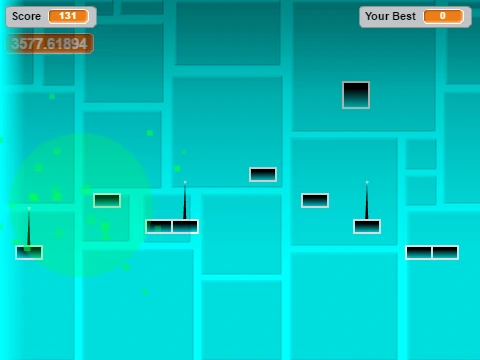
Geometry Dash v
Geometry Dash v: Enhanced Controls & Performance Options
Geometry Dash v delivers the intense, rhythm-based platforming action the series is famous for, now with a broader set of control schemes. Navigate through perilous courses by jumping with your preferred input: use arrow keys `[up]`, `[w]`, `[space]`, `[ctrl]`, `[capsLK]`, function keys `[f1]-[f12]`, the `[ (i) ]` key, or simply click with your mouse.
Core Gameplay & Advanced Mechanics
Your primary goal is to avoid the treacherous spikes that fill each level. When you enter the ship game mode, control shifts to a flight mechanic where you must hold a key to fly upwards and release to descend, demanding precise timing.
- Environmental Boosters: Utilize yellow pads for a high jump and blue pads for an even more powerful leap. The blue pad's boost is particularly valuable for recovery if you miss a gravity portal.
- Bonus Challenge: Scattered coins offer additional points for players aiming to maximize their score and fully complete the level.
Optimized for Smooth Performance
To accommodate different hardware and ensure a lag-free experience, this version includes practical performance controls. Press the `L` key to toggle visual effects on or off, and press the `B` key to toggle the background. Both features can significantly reduce graphical load and improve game responsiveness, allowing you to focus purely on the challenging gameplay of Geometry Dash v.
Discuss geometry dash









































