Geometry Dash v2.4 Levels 9-13
Geometry Dash v2.4 Levels 9-13: A Labor of Fixes and Love
This project isn’t just another remix; it’s a targeted patch job born from frustration with broken gameplay. The creator explains right upfront: this is a re-upload because the original version had a messy "Cycles" level and, more critically, a percentage counter that "broke" Clutterfunk and Electroman Adventures. If you've ever played a fangame where a bug makes a section literally impossible, you’ll feel their pain—it’s the digital equivalent of a puzzle with a missing piece. This drive to fix, to polish, to make things work right, is a huge part of the community's ethos. It’s for the player who has beaten all main levels and is now delving into community content, expecting a certain standard of quality, or for the analyzer who studies level design and gets annoyed when a good idea is marred by technical glitches.
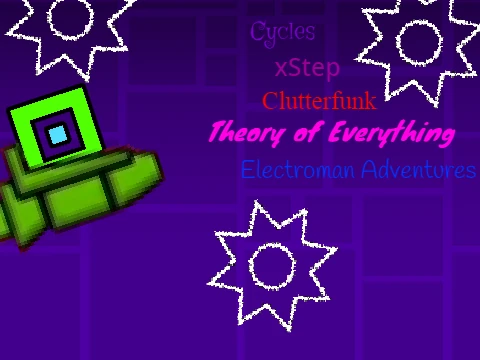
The focus is on levels 9 through 13 of the official Geometry Dash progression: Cycles, xStep, Clutterfunk, Theory of Everything, and Electroman Adventures. These are the infamous "middle children" of the game, where the difficulty starts to ramp up significantly. The creator provides a candid status report: Cycles is "good," xStep is "glitchy," Clutterfunk is "in progress," Theory of Everything is "good," and Electroman Adventures is "in progress." This transparency is refreshing. You’re not getting a falsely perfect product; you’re getting a snapshot of ongoing work. It invites you to be part of the process, maybe even to notice the fixes between play sessions.
Gameplay & Controls: Back to Basics (With a Lag Fix)
The controls will be familiar to any Dash player: Press [up], [w], [space], or click to jump and to activate yellow orbs. In ship mode, hold to rise and release to fall. You've got yellow pads for high jumps and blue pads for even higher ones. The goal is simple: avoid the spikes, and for bonus points, collect the coins. A crucial tip for anyone on older hardware or a less-than-optimal setup: Press 'L' to toggle visual effects and reduce lag. The creator honestly notes there’s currently no way to exit this low-lag mode except by re-starting the level, but they're aware and may fix it. This practical consideration for players with performance limitations is a thoughtful touch.
The project description also serves as a mini-portal to a whole suite of Geometry Dash Scratch projects, listing links to other level packs (1-3, 4-6, 7-8, etc.) and an online levels studio. It’s a reminder that this single project is just one node in a vast, interconnected web of community creativity.



















































Discuss geometry dash