geometry dash ship spam impossible
Geometry Dash Ship Spam Impossible: The Ultimate Creator Challenge
Prepare for the ultimate test of skill and patience in Geometry Dash Ship Spam Impossible, a notoriously difficult custom level that lives up to its name. This level is so challenging that it is said only a "god" can beat it. Be warned: the intense spam sections can cause significant lag. For the best experience, the creator strongly recommends using TurboWarp or enabling Turbo Mode within Scratch for improved performance, though Turbo Mode may be less effective.
A Fully-Featured Geometry Dash Editor
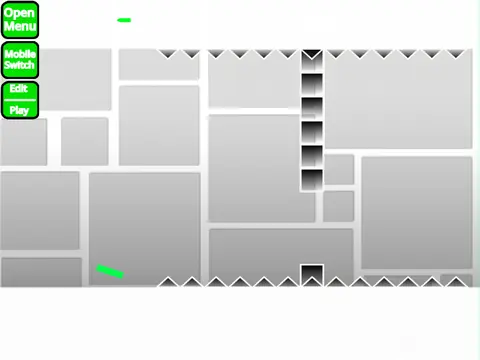
This project is not just a level to play but a fully-featured Geometry Dash editor built in Scratch, allowing you to create and customize your own insane levels. You can replace the background music by accessing the backdrop, deleting the existing tracks, and adding your preferred songs. To save your level progress, you must remix the project when you start and save it to your Scratch account whenever you need.
Master the Controls
Mastering the controls is essential for both playing and creating.
- Mode Switch: Use "Z" and "M" to toggle between the comprehensive editor mode and play mode.
- Player Actions: Click or press any key to jump, fly, and interact. Keys "I" and "O" toggle a 'no-clip' option. At the end screen, vote on the level with keys 0-9. In practice mode, press "Z" to place a checkpoint.
- Editor Power: The editor is incredibly detailed. Cycle block menus with "1"/"3", browse blocks with "4"/"5". Press "2" for the eraser, "I"/"O" for settings, and "O"/"P" for the debug menu. Click to place blocks, use "R" to rotate, "T" for 45-degree rotations, and "E" for rotation/nudge controls. "F" opens the trigger menu, "B" the detect menu. "Z" picks a block, "9" saves, and "0" loads your creations.
Extensive Building Toolkit & Features
The editor boasts an extensive feature set evolved through versions 1.0 to 2.0. Build with all core vehicles (Cube, Ship, Ball, UFO, Wave, Robot, Spider, Swing Copter), gravity portals, speed changers, pads, and orbs (including dash orbs). Utilize slopes, various decorative and layout blocks, colored blocks with glow effects, teleport portals, and 3D objects. Place hazards like saws and thorns, and use advanced triggers for movement, alpha (transparency), and instant counting. The 2.0 update added save codes, keys, coins, and more. For advanced creation tips, check the linked Scratch project guide. Please note, advertising within the community is only permitted if related to this specific editor project.



















































Discuss geometry dash