geometry dash robot challange
Geometry Dash Robot Challenge: Advanced Scratch Level Editor
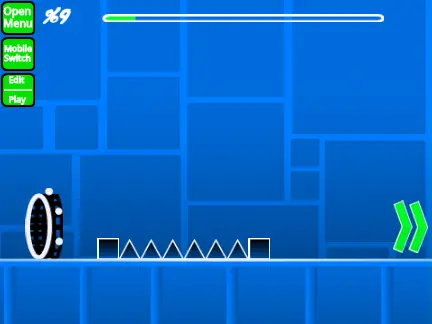
Geometry Dash Robot Challenge on Scratch offers a comprehensive level editor experience with advanced gameplay mechanics. The project comes with a severe lag warning, recommending Turbowarp for optimal performance, though Turbo Mode is available as a less effective alternative. Players can explore the newly released Geometry Dash Revamped through the provided link.
Dual-Mode Gameplay Controls
The editor features dual-mode functionality, allowing seamless switching between edit and play modes using Z and M keys. Players control their character with simple clicks for jumping, flying, gravity switching, and orb activation. Advanced options include:
- No-clip mode accessible via I and O keys
- Checkpoint creation in practice mode with Z
- Level synchronization with S key
- Auto-click feature with W for automatic spamming
- End-screen voting system using 0-9 keys
Comprehensive Editor Tools
For content creators, the editor provides extensive building tools:
- Multiple block menus cycled through with 1 and 3 keys
- Individual block selection using 4 and 5 keys
- Eraser selection with 2 key
- Rotation system with standard rotation (R) and precise 45-degree increments (T)
- Settings access with I and O keys
- Debug menus with O and P keys
- Trigger menus with F key
- Detection menus with B key
- Block picking with Z key
- Save and load functions with 9 and 0 keys
Advanced Music Synchronization
The advanced sync system includes beat synchronization tools with L, K, and J keys for perfect music alignment. Users can toggle beat markers, set synchronization points, and review sync accuracy after playing their levels.
Content Management & Community
Content management is straightforward - users add custom music by modifying the backdrop and save levels by remixing the project. The community aspect includes dedicated spaces for questions at https://scratch.mit.edu/studios/32593081/comments, level rating requests at https://scratch.mit.edu/studios/30896209/, and technique tutorials at https://scratch.mit.edu/projects/543078285/. The project maintains a clean environment by restricting advertisements to editor-related content only.
Access the Turbowarp version at https://turbowarp.org/617482003?clones=Infinity for enhanced performance.



















































Discuss geometry dash