geometry dash editor v2
Geometry Dash Editor V2: Complete Level Creation Tool
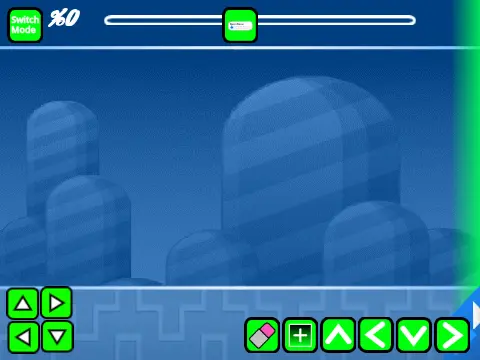
Geometry Dash Editor V2 offers a full-featured level editing experience that mirrors the original Geometry Dash editor, allowing you to create custom levels with comprehensive tools and controls. Important performance note: for optimal editing experience, use Turbowarp or enable Turbo Mode to mitigate potential lag issues during complex level construction.
Dual Mode Editing System
Switch seamlessly between editor mode and play mode using Z and M keys. In play mode, control your character with simple mouse clicks for all actions including jumping, flying, gravity manipulation, and orb interaction. Advanced players can activate no-clip mode with I and O keys for testing purposes, and use 0-9 number keys for end-screen voting on completed levels.
Comprehensive Editing Controls
The editor provides extensive control options for precise level design:
- Cycle block menus with 1 or 3 keys
- Navigate block selections using 4 and 5
- Select eraser tool with 2 key
- Access settings with I and O
- Open debug menu with O and P combination
- Place blocks with mouse clicks
- Rotate objects with R key
- Adjust rotation and nudge settings with R+E
- Reset to defaults with R+O
- Open trigger menus with F key
Custom Music Integration
Personalize your levels with custom soundtracks by navigating to the backdrop section, removing default music, and importing your preferred audio files. This allows for complete audio customization to match your level's theme and difficulty.
Version History & Feature Set
Version 1.3 added mobile editing controls for on-the-go creation, version 1.2 introduced numerical indicators on the progress bar for precise timing, version 1.1 implemented the progress bar system, while the foundational version 1.0 established the complete feature set including:
- Multiple block types and platforms
- Grid alignment blocks and decorative elements
- All portal variations (gravity, mini, mirror, dual)
- Complete game modes: cube, ship, ball, UFO, wave, robot, spider
- Pads, orbs, and color triggers
- Hazards, slopes, and dash orbs
- Cross blocks, black blocks, and layout blocks
- Saws, gears, and speed modification systems
Saving & Project Management
Start your creation by remixing the project, then save regularly using the project save function. This workflow ensures your level designs are preserved and can be further developed or shared with the Geometry Dash community.



















































Discuss geometry dash