geometry dash sonic wave w.i.p
Geometry Dash Sonic Wave W.I.P.: Level Editor & Extreme Demon Challenge
Geometry Dash Sonic Wave W.I.P. is an ambitious and complex level editor project inspired by the infamous extreme demon level “Sonic Wave.” This is a work in progress, currently about 13% complete, with the creator’s best runs reaching 33-100 twice. A significant heads-up: the project can be resource-intensive, so using Turbowarp or enabling Turbo Mode is highly recommended for optimal performance.
A Powerful Integrated Editor
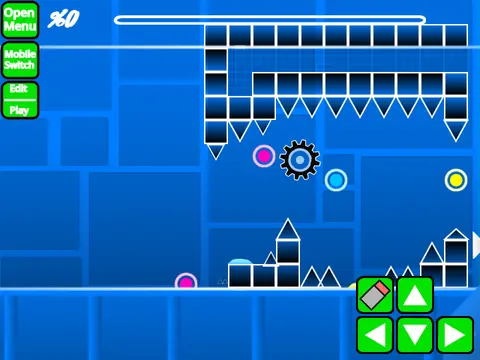
This is not just a level but a full-fledged editor. The core mechanic is switching between play mode and a powerful editor mode by pressing Z and M. In play mode, click to jump or interact. Advanced options include pressing I and O for a ‘no-clip’ mode and Z to set checkpoints in practice mode. The editor is feature-rich but has a learning curve. Controls include pressing 1/3 to cycle block menus, 4/5 to cycle blocks within a menu, 2 for the eraser, and clicking to place. Key binds handle rotation (R), settings (I/O), debug menus (O/P), trigger menus (F), detection menus (B), picking blocks (Z), saving (9), and loading (0).
Extensive Feature Set and Workflow
The editor’s capabilities are extensive, as outlined in its version history. The foundational 1.0 update introduced core Geometry Dash elements: all gameplay modes (cube, ship, ball, UFO, wave, robot, spider), blocks, orbs, pads, color triggers, slopes, and speed changers. The major 2.0 update significantly expanded possibilities with move/alpha/instant count triggers, keys, coins, colored and glowing blocks, teleport portals, 3D objects, the swing copter mode, and more. To add custom music, you must replace the backdrop sounds. Saving your work is done by saving/remixing the entire Scratch project itself.



















































Discuss geometry dash