geometry dash ship challenge v3
Geometry Dash Ship Challenge V3: Advanced Level Creation System
Elevate your ship gameplay and level design skills with Geometry Dash Ship Challenge V3, featuring sophisticated editor tools and enhanced performance optimization for serious creators. This advanced platform requires careful study but rewards dedicated users with unprecedented creative control.
Performance & Setup Recommendations
For the best experience with unlimited cloning capabilities, use Turbowarp with infinite clones. Turbo Mode provides an alternative solution for reducing lag during complex editing sessions. Beginners should review the comprehensive tips guide available at this resource page before starting their first project.
Complete Control System
General & Player Controls
- Mode switching: Z and M keys toggle between Editor and Play modes
- Basic actions: Click to perform jumps, flight, gravity switches, and orb activations
- Debug options: I and O keys enable no-clip functionality
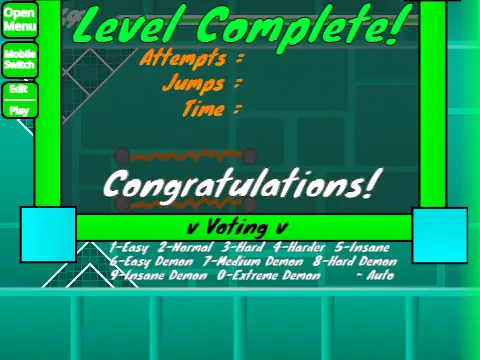
- Rating system: 0-9 keys for end-screen voting
- Practice features: Z key sets checkpoints in practice mode
Advanced Editor Controls
- Block management: 1/3 cycle menus, 4/5 navigate items
- Tools: 2 selects eraser, Z picks up blocks
- Object manipulation: R rotates, T rotates 45 degrees
- Menus: I/O for settings, O/P for debug, F for triggers, B for detection
- Adjustment: E shows rotation/nudge, R/O resets defaults
- Project management: 9 saves, 0 loads projects
Customization & Workflow
Personalize your levels by replacing background music in the backdrop section. Maintain project integrity by remixing initially and saving regularly through the platform's saving system. The community-focused environment permits only related advertisements to ensure relevant creative exchanges.
Version Evolution & Feature Set
Version 2.1 Enhancements
This update significantly reduced block-related lag issues and introduced breakable block mechanics for more dynamic level design possibilities.
Major Version 2.0 Additions
- Save code system for project portability
- Advanced triggers: Move, Alpha, Instant Count
- Collection mechanics: Keys and Coins
- Visual enhancements: Colored blocks with glow effects
- Transportation: Teleport portals
- Environmental objects: 3D elements, thorns, swing copter
- Enemy variety: Expanded monster selections
- Transition effects: Fade animations
Foundation Features (Version 1.0+)
The core system includes comprehensive block types, platforms, decorative elements, gravity portals, all standard game modes (cube, ship, ball, UFO, wave, robot, spider), pads, orbs, color triggers, danger objects, slopes, dash orbs, cross blocks, black blocks, layout blocks, portal variations (mini, mirror, dual), environmental hazards (saws, gears), and speed changing mechanics. Version 1.2 added numerical percentage indicators for precise progress tracking.



















































Discuss geometry dash