Geometry Dash Scratch Remake remix
Geometry Dash 2.2 Scratch Remake Remix: Play & Create
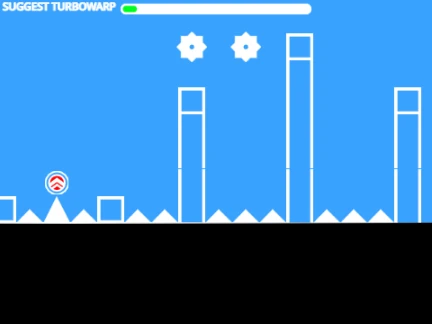
Explore a unique, community-built demake with the Geometry Dash 2.2 Scratch Remake Remix. This fan-made project, developed on the Scratch platform in just five days, offers both a playful homage to the original game and a surprisingly robust level editor for creative minds.
How to Play & Recommended Platform
For optimal performance and features like high-quality rendering, it is recommended to play this remake on TurboWarp. You can access it directly here: Play Geometry Dash Scratch Remake on TurboWarp. Basic in-game controls are simple: use [Space], a mouse [Click], or the [Up Arrow] key to make your character jump.
Comprehensive Built-in Level Editor
The standout feature is its integrated editor. Activate it by pressing [Space] while clicking the Green Flag. This powerful toolkit allows you to:
- Select blocks with number keys
[0-9].
- Navigate the workspace with
[WASD] keys.
- Rotate placed objects using
[Q] and [E].
- Click to place objects and press
[X] to delete them.
- Set a custom player start position with the
[P] key.
Advanced users can click "See Inside" on the original Scratch project to remix and build from a blank slate.
Project Notes & Credit
This is an early-access, experimental project created with passion. Please note it may contain bugs, but the developer has indicated more updates are coming soon. A special thanks to RobTop for creating the original Geometry Dash that inspires projects like this. It's a perfect sandbox for players curious about game design and level creation.


















































Discuss geometry dash