Geometry Dash - The Tower
Geometry Dash - The Tower: An Advanced Scratch Level Editor with Extensive Creation Tools
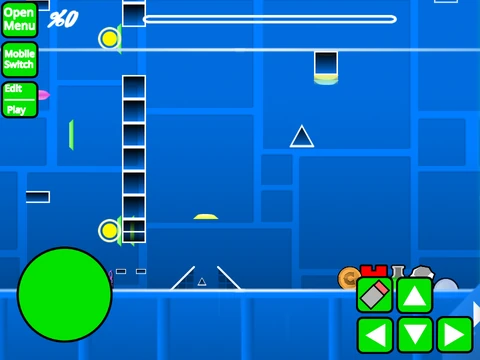
Geometry Dash - The Tower represents a sophisticated level editing platform built within Scratch, offering creators comprehensive tools for designing, testing, and sharing custom Geometry Dash experiences. Performance optimization is crucial: for the smoothest operation, using Turbowarp via the provided link (https://turbowarp.org/617482003?clones=Infinity) is strongly recommended, with Turbo Mode serving as a less effective alternative for reducing latency during intensive editing sessions.
Community Integration and Guidelines
The editor connects to community resources through dedicated studio links. Creators seeking feedback can submit levels for rating via the specified studio, while those looking to improve their skills can access editing tips through an additional resource link. Community guidelines specify that advertising within projects should remain relevant to the editor itself, maintaining focus on creation rather than promotion.
Audio Customization and Project Management
Audio customization begins in the backdrop interface, where existing music tracks can be removed and replaced with personal selections. Project preservation follows standard Scratch workflow: remix the project when initiating a new level, then regularly save the project file to capture all progress and modifications.
Dual Control Schemes for Creation and Gameplay
Dual control schemes facilitate seamless transitions between creation and testing. Switch between editor and play modes using Z and M keys. During gameplay, click to execute jumps, activate flight mechanics, change gravity, or interact with orbs and portals. Advanced options include pressing I and O to enable no-clip mode for unrestricted movement, and using 0-9 keys to vote on completed levels. Practice mode offers additional functionality with Z creating checkpoints and S synchronizing level timing.
Comprehensive Editor Interface and Tools
The editor interface provides extensive creation tools. Navigate block menus with 1 and 3 keys, while 4 and 5 cycle through options within each menu. Select the eraser with key 2, access settings with I and O, and enter debug mode with O and P. Block placement utilizes simple clicking, with R rotating blocks and T applying 45-degree rotations. Access rotation and nudge adjustments with E, reset defaults with R and O, open the trigger menu with F, access detect functions with B, pick blocks with Z, save configurations with 9, and load with 0.
Evolution Through Version Updates
Version history demonstrates significant evolution. The 2.0 series introduced save codes, move triggers, alpha triggers, instant count triggers, keys, coins, colored blocks, glow effects, teleport portals, 3D objects, thorns, swing copter mechanics, additional monsters, and fade effects. Subsequent 2.1 updates optimized wave mechanics for reduced lag and better clipping, implemented on-screen tile rendering, improved ball physics for quicker ascent/descent, added spider pads and orbs, introduced color triggers, fixed dual mechanics, revamped particle effects, enhanced tile engines, and added free fly capability. Earlier 1.0 versions established the foundation with blocks, platforms, decorations, gravity portals, seven game modes, pads, orbs, color triggers, hazards, slopes, dash orbs, specialized blocks, portals, saws, gears, and speed mechanics.
This comprehensive editing suite empowers creators to construct intricate Geometry Dash levels with precision controls, extensive customization options, and continuous improvements through version updates, all within the accessible Scratch environment.



















































Discuss geometry dash