super mario 2d world maker lightweight ver. ver 1.2 remix
Super Mario 2D World Maker Lightweight Ver. 1.2 Remix: Create Your Own Mario Levels
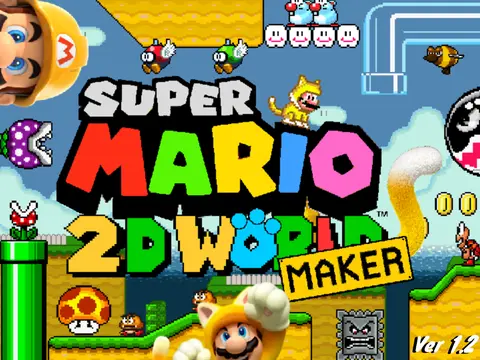
Dive into the world of creation with Super Mario 2D World Maker Lightweight Ver. 1.2 Remix, a feature-packed 2D level editor that reimagines the vibrant gameplay of Super Mario 3D World in a retro style. Designed for both casual players and dedicated creators, this Scratch-based project allows you to build, play, and share your very own Mario levels with an intuitive and robust toolset.
Powerful Level Editor Controls
The comprehensive editor offers full creative control. Navigate the workspace with arrow keys or WASD (hold X to move faster) and use your mouse to place objects. Switch between place, erase, and item pick modes with the E key, rotate tiles with R, and toggle alternate assets with T. Access deeper object properties (like pipe connections) with Y. For a clean view, press H to hide the interface. Quickly test your creation by clicking the clapperboard icon or pressing Enter. Customize your level's theme, timer, and goal type through the gear icon settings. A convenient recent items panel (or number keys 1-5) speeds up your workflow.
Authentic Mario Gameplay & Advanced Moves
Playing your levels is a joy thanks to faithful Mario mechanics. Control your character with arrow keys to move, Z to dash, X to jump, and S to spin jump. Master advanced techniques like ground pounds, wall jumps, long jumps, and sliding down slopes. Interact with clear pipes by pressing into them. The game also features a wide array of power-ups: shoot fireballs with the Flower, climb walls with the Super Bell, fly with the Super Leaf, or go on a rampage with the Mega Mushroom.
Save, Load & Share Your Creations
Saving and sharing your work is streamlined. Generate a save code within the level settings to copy for later. To edit a saved level, paste the code in the editor's load menu. To simply play a shared level, use the “Play Level” option from the main menu. Share your creations and explore others' levels in the dedicated Course World forum. For optimal performance, especially with large levels, it's recommended to use TurboWarp or Forkphorus with their infinite clone feature enabled.
This project is a monumental community effort, built upon the initial engine by @griffpatch, utilizing sprites from resources like The Spriters Resource, and made possible by Nintendo's iconic franchise. Regular updates since its July 2021 release have refined checkpoints, increased clone limits, and polished the experience. Unleash your creativity and design the ultimate Mario challenge today!



















































Discuss geometry dash