geometry dash spam 2
Geometry Dash Spam 2: A Comprehensive Scratch-Based Level Editor & Game
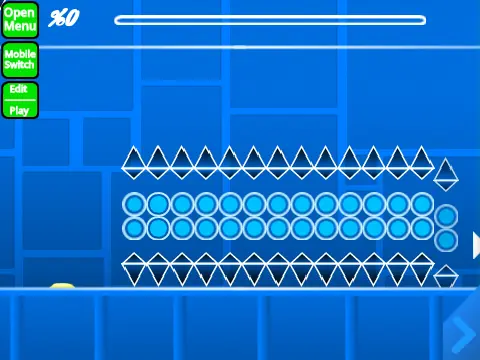
Geometry Dash Spam 2 is a robust, feature-rich level editor and gameplay experience created within the Scratch environment, offering a surprisingly deep approximation of the official Geometry Dash mechanics. The creator humbly notes this might be among their less refined projects, but it nonetheless packs extensive functionality for aspiring level designers and players seeking a free, browser-based Geometry Dash alternative.
Performance & Access
A critical performance note: the project may experience lag. For the optimal experience, players are strongly recommended to use the provided TurboWarp link, a specialized Scratch player that enhances performance. The built-in Turbo Mode is a less effective alternative. You can also view the original Scratch project page.
Create Your Own Levels
This is not just a playable level; it’s a fully-fledged editor. You can build your own Geometry Dash levels from scratch. The process begins by remixing the project to create your own save file. Adding custom music is simple—navigate to the backdrop, remove the default tracks, and import your chosen audio file. Saving your progress is done by saving the Scratch project itself.
Detailed Control Scheme
The control scheme is comprehensive, divided into three categories:
- General Controls: Press
Z and M to toggle between the level editor mode and play mode.
- Player Controls:
- Click to jump, fly, switch gravity, or activate orbs.
- Press
I and O to enable a ‘no-clip’ mode for free exploration.
- In Practice Mode, press
Z to set a checkpoint.
- Press
S to manually sync the level rhythm.
- With auto-click enabled, press
W to trigger automatic spamming.
- After beating a level, rate it by pressing keys
0 through 9.
- Editor Controls:
- Cycle block menus with
1/3 and individual blocks with 4/5.
- Press
2 for the eraser tool.
- Access settings (
I/O) and a debug menu (O/P).
- Click to place blocks. Rotate with
R (or T for 45°).
- Use
E for rotation/nudge fine-tuning.
- Access trigger menu (
F), detection menu (B), and block picker (Z).
- Save and load your layout with
9 and 0.
- For rhythm mapping: press
L for the sync menu, use K to mark beats, and press J after playing to review synchronization.
Community & Purpose
The project fosters community through a dedicated Scratch studio where the creator offers to rate user-submitted levels. Promotion is permitted but must be directly related to this specific editor. For guidance, the creator has also published a separate tips and tricks project.
While a powerful free tool, the creator acknowledges the official Geometry Dash game as the superior, premium experience. This Scratch project stands as an impressive tribute and creative sandbox, perfectly capturing the frantic gameplay of cube jumping, ship flying, wave dodging, and spider crawling through its custom-coded physics and detailed object-placement system.



















































Discuss geometry dash