geometry dash - wave one
Geometry Dash - Wave One: Free Online Rhythm Platformer
Geometry Dash - Wave One delivers the quintessential fast-paced platforming action of the popular series right in your web browser. This free-to-play version captures the core challenge: navigate a geometric icon through a hazardous wave of obstacles with perfect timing.
Core Gameplay & Controls
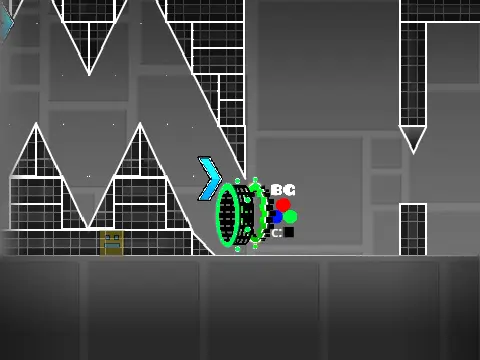
Control is simple but demanding. Make your icon jump by pressing the [Up] arrow key, [Spacebar], or clicking your mouse. A single mistake—touching any spike—sends you back to the start of the level, demanding precision and consistency. The game integrates Jump Rings (Orbs), a key mechanic from the original. These colored circles provide specific jump boosts or effects upon contact, requiring you to learn and anticipate each color's behavior to optimize your path.
Level Selection & Editor Power
From the title screen, use the arrow keys to select a level and press Space to begin. The unique inclusion of a built-in Level Editor sets this experience apart. During gameplay, press [Z] and [M] simultaneously to switch to edit mode.
- Move: Use WASD keys to navigate the editor space.
- Block Selection: Press keys 1 through 9 to select different block categories (spikes, platforms, orbs, decorations).
- Cycle Blocks: Repeatedly press a category's number key to cycle through all blocks within that group.
- Undo Step: Press [R] + [Category Number] to revert to the previous block in that category.
This accessible toolkit allows you to create custom waves, experiment with layouts, and understand level design. Exit the editor with another [Z]+[M] press. Whether conquering official waves or designing your own devilish challenges, Geometry Dash - Wave One is a fantastic test of rhythm, reaction, and perseverance.



















































Discuss geometry dash