g-dash wave impossible or is it
G-Dash Wave: Impossible or Is It? – Full Level Editor on Scratch
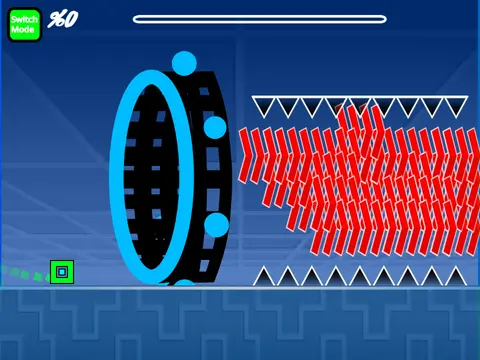
G-Dash Wave: Impossible or Is It? is a feature-packed Geometry Dash-inspired level creator built on Scratch. The game celebrates a milestone of 10K views, crediting DrizzlyRB for its foundation. If the game doesn't load initially, simply click the green flag to restart.
Dual Mode Gameplay: Play and Create
This isn't just a player; it's a full-fledged editor. Seamlessly switch between Play Mode and Editor Mode using the 'Z' and 'M' keys.
- Play Mode Controls: Click to perform all actions—jump, fly, switch gravity, and activate orbs. For advanced testing, press 'I' and 'O' to toggle a 'no-clip' option, and rate finished levels on a scale of 0-9.
- Editor Mode Controls:
- Cycle through block menus with '1'/'3'.
- Select individual blocks with '4'/'5'.
- Use '2' for the eraser. Click to place blocks.
- Rotate objects with 'R'. Fine-tune with the rotation/nudge menu (R+E).
- Access settings (I+O), a debug menu (O+P), and a trigger menu with 'F'.
Customization & Saving Your Work
Customization is key: replace the soundtrack by editing the backdrop and adding your own music. To save your progress, remix the project at the start and save it periodically.
Performance & Updates
A crucial performance note: for the best experience, play on Turbowarp.org. The built-in Turbo Mode is less effective. The game has seen consistent updates, from adding a progress bar and mobile editing controls to expanding the object library with blocks, platforms, decorations, all character forms (cube, ship, ball, UFO, wave, robot, spider), portals, orbs, color triggers, dangers, slopes, and speed changers.
Perfect for creators who want to build, test, and share their own challenging "impossible" levels.



















































Discuss geometry dash