Geometry Dash Tight Wave
Geometry Dash Tight Wave: The Ultimate Level Editor & Challenge
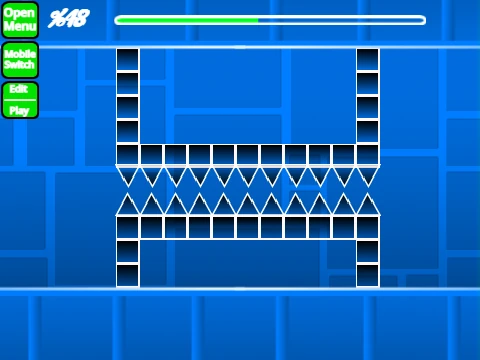
Geometry Dash Tight Wave delivers a dual experience: a notoriously difficult wave-based challenge level and one of the most sophisticated level editors available on the web. The featured "Tight Wave" stage lives up to its name with brutally narrow passages for the wave vehicle, verified by top players like @Aspect_GD.
A Professional-Grade Creation Suite
This project is built for creators. Switch between editing and testing with "Z" and "M". The editor features a comprehensive shortcut set: cycle menus ("1"/"3"), select blocks ("4"/"5"), erase ("2"), rotate ("R" or "T" for 45°), manage triggers ("F"), and handle detection ("B"). Efficient workflows are supported with save/load codes ("9"/"0") and a pick block tool ("Z"). For players, practice mode includes checkpoints ("Z"), level sync ("S"), and auto-spam ("W") functionalities.
Critical Performance Note: This is a resource-heavy editor. The creator strongly advises using Turbowarp for a smooth, lag-free experience, as Turbo Mode may be insufficient.
Continuous Evolution & Advanced Features
The editor has undergone significant evolution. The landmark 2.0 update added save states, move/alpha triggers, keys, coins, 3D objects, and the swing copter. The 2.1.x series focused on refinement and powerful new tools:
- Wave Optimization (v2.1.5): Specifically tuned for "tighter" gameplay and better clipping.
- Assist Tools (v2.1.6): Introduced Auto-Click and Auto-Fly, with a verification symbol to maintain legitimacy records.
- Visual & Physics Tweaks: Added color triggers, camera controls, particle effects, and major engine optimizations (like on-screen-only rendering in v2.1.4) to combat lag.
You can import your own music, save projects via remixing, and even submit levels for rating through the creator's studio. This is more than a game; it's a potent design studio for crafting the next iconic Geometry Dash level.



















































Discuss geometry dash