Geometry Dash very hard wave
Geometry Dash Very Hard Wave: Level Editor & Extreme Challenge
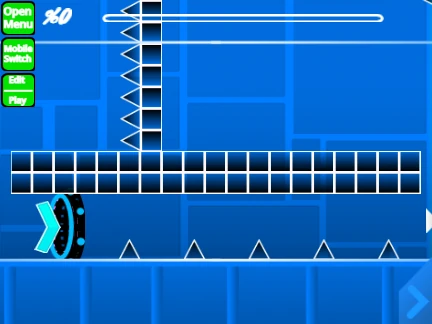
Geometry Dash Very Hard Wave is a dual-purpose project: it’s both a showcase of an intensely difficult wave-based level and a powerful, custom level editor for Geometry Dash. The pre-built level exemplifies high-end challenge, demanding near frame-perfect timing at high speed, inspired by the notorious “Sonic Wave” style of gameplay.
Performance Recommendations & Setup
Lag Warning: The editor's complexity may cause performance issues in standard Scratch. For a smooth experience, the creator highly recommends using Turbowarp.org (a direct link is provided in the game) or enabling Turbo Mode. Turbowarp typically offers better performance.
To customize your level, you can add your own music by going into the backdrop settings, deleting the existing sounds, and uploading your preferred track. Always save your work by remixing the project.
Comprehensive Level Editor Features
This editor is packed with tools from two major development phases:
- Version 1.0 Foundation: Includes all core objects: blocks, platforms, all game modes (Cube, Ship, Ball, UFO, Wave, Robot, Spider), portals (gravity, size, mirror, dual, speed), orbs, pads, color triggers, slopes, and dangers.
- Version 2.0 Advanced Tools: Adds powerful features like save/load codes, move/alpha triggers, instant count, keys, coins, glow, teleport portals, 3D objects, and the swing copter mode.
Detailed Control Scheme
Toggle between Play Mode (‘M’) and Editor Mode (‘Z’).
Play Mode Controls:
- Click, Space, Up Arrow: Jump/Fly/Activate.
- ‘I’/’O’: Toggle no-clip mode (debugging).
- ‘Z’ in Practice Mode: Place a checkpoint.
Editor Mode Controls:
- ‘1’/’3’: Cycle block menus. ‘4’/’5’: Cycle blocks.
- ‘2’: Select eraser tool. Click to place/erase.
- ‘R’: Rotate object. ‘T’: Rotate 45 degrees.
- ‘F’: Open trigger menu. ‘B’: Open detection menu.
- ‘Z’: Pick up a block to copy.
- ‘9’: Save level data. ‘0’: Load level data.
This project is an invaluable resource for players wanting to test their skills against a brutal wave challenge and, more importantly, for aspiring creators to build their own custom Geometry Dash levels with a remarkably deep toolset.



















































Discuss geometry dash