geometry dash spider challenge v5
Geometry Dash Spider Challenge V5: Refined Editor with Portal Fixes
Geometry Dash Spider Challenge V5 offers another iteration of the popular Scratch-based level editor, focusing on stability and refinement. While it shares the core feature set with earlier versions—including the essential Spider game mode, all standard blocks, portals, orbs, and triggers—this version addresses specific issues and polishes the user experience.
Stable Core Feature Set
Creators have access to the complete toolbox: various blocks and platforms, decorative elements, gravity portals, all character forms (Cube, Ship, Ball, UFO, Wave, Robot, Spider), pads, orbs, color triggers, hazards like spikes and slopes, dash orbs, special blocks, multi-portals (mini, mirror, dual), saws, gears, and speed changers. Custom music integration remains straightforward through the backdrop settings. Remember to save your work by remixing the project initially and downloading it periodically.
Precise Controls and Mobile Editing
The control scheme is consistent and reliable. Switch between editing and playing with Z and M. In edit mode, cycle through block menus (1/3), select items (4/5), erase (2), and rotate (R). Access settings with I/O and the debug menu with O/P. The rotation/nudge menu is at R+E, and triggers are at F. For testing, enable no-clip mode with I/O in play mode. Version 1.3 introduced mobile editing controls, enhancing accessibility.
Key Updates and Performance
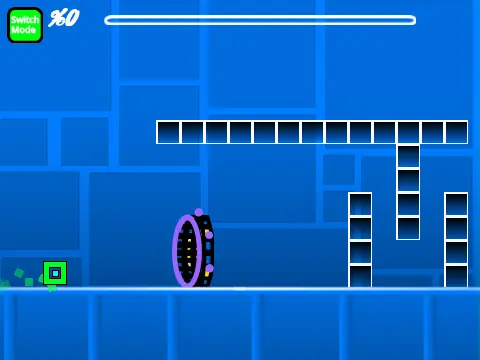
The development log highlights important fixes. Version 1.4 specifically resolved bugs related to portals, ensuring smoother gameplay transitions. Other updates added a progress bar with percentage readout (1.1, 1.2). As with all Scratch-based GD editors, performance can vary; using the dedicated Turbowarp link is recommended for the best, low-lag experience. Geometry Dash Spider Challenge V5 is a solid choice for creators who value a stable, well-maintained editing environment.



















































Discuss geometry dash