geometry dash finger dash super hard level
Geometry Dash Finger Dash Super Hard Level & Editor
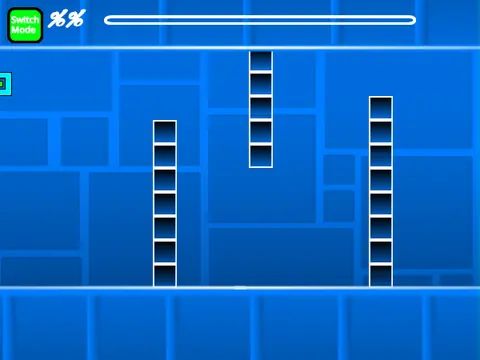
Geometry Dash Finger Dash Super Hard Level is more than a level—it's a powerful, in-browser level editor that lets you design and conquer brutal Geometry Dash challenges. A critical note: this complex simulator can experience lag. For optimal performance, play using Turbowarp.org or enable Turbo Mode in Scratch.
A Full-Featured Geometry Dash Creator
This editor replicates the full Geometry Dash experience. Create levels for all seven game modes: Cube, Ship, Ball, UFO, Wave, Robot, and Spider. Your toolkit includes:
- Core Objects: Blocks, platforms, orbs, jump pads, gravity portals, and speed changers.
- Advanced Mechanics: Mini, Mirror, and Dual portals for gameplay variety.
- Decoration & Hazards: Pulsing chains, slopes, saws, gears, and color triggers for visual flair.
Precise Editing Controls
Build with precision using dedicated editor controls:
- Switch Modes: Press Z/M to toggle between Edit and Play mode.
- Object Palette: Cycle block menus with 1/3, and items within with 4/5.
- Edit Tools: Use the eraser (2), rotate objects (R), open fine-adjustment menus (R+E), and access triggers (F).
- Settings & Debug: Open settings (I/O) and a debug menu (O/P).
Playtesting & Customization
Test your creations seamlessly. Player control is simple (click to jump/fly). Use the 'no-clip' option (I/O) to explore freely and rate finished levels (0-9). Personalize your level by replacing the backdrop music with any track you choose. Remember to Remix the project first to save your work.
This project is continually updated, with recent patches improving portal functionality and adding mobile editing support.



















































Discuss geometry dash