Troll - Geometry Dash
Troll - Geometry Dash: Advanced Level Editor Platform
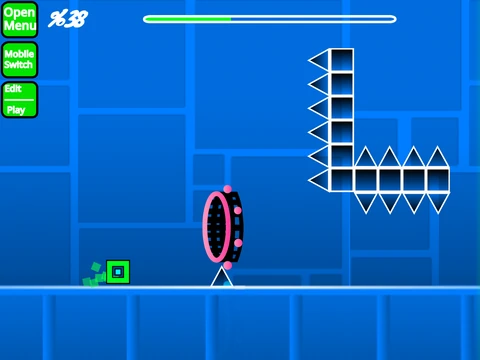
Troll - Geometry Dash presents a comprehensive level editor and gameplay platform with extensive customization options for creative Geometry Dash enthusiasts. Performance optimization is recommended through Turbowarp usage or Turbo Mode activation to ensure smooth editing and gameplay experiences.
Performance Recommendations
For optimal performance, use Turbowarp as your primary platform. Turbo Mode provides secondary performance improvement with reduced effectiveness. Editing complexity requires thorough instruction review - consult detailed tips for best practices.
Dual Mode Functionality
The platform offers seamless switching between editor and play modes using 'Z' and 'M' keys. Player controls feature intuitive clicking mechanics for jumps, flight, gravity switching, and orb activation, complemented by 'I'/'O' no-clip options for level debugging and exploration.
Advanced Editor Controls
Editor functionality includes comprehensive block management with menu cycling ('1'/'3'), block selection ('4'/'5'), eraser activation ('2'), and specialized tools for rotation ('R'/'T'/'E'), settings access ('I'/'O'), debug menus ('O'/'P'), trigger systems ('F'), detection settings ('B'), block picking ('Z'), and save/load operations ('9'/'0').
Content Management
Music integration requires backdrop modification with existing track removal and new audio addition. Level preservation utilizes Scratch's remix system - initial project remixing establishes your workspace, with regular project saving ensuring progress retention and version control.
Version Evolution
Version 2.0 introduced transformative features including save codes, move/alpha/instant count triggers, keys, coins, colored blocks, glow effects, teleport portals, 3D objects, thorns, swing copters, additional monsters, and fade transitions. The foundation 1.0 version established all core Geometry Dash components: comprehensive block types, platforms, decorations, portals, gameplay modes, interactive elements, and environmental objects.
This editor supports creative expression while maintaining Geometry Dash's core mechanics, providing both novice and experienced creators with tools for level design, testing, and sharing within the Geometry Dash community.



















































Discuss geometry dash