geometry dash wave spam remix
Geometry Dash Wave Spam Remix: Your Portal to Level Creation
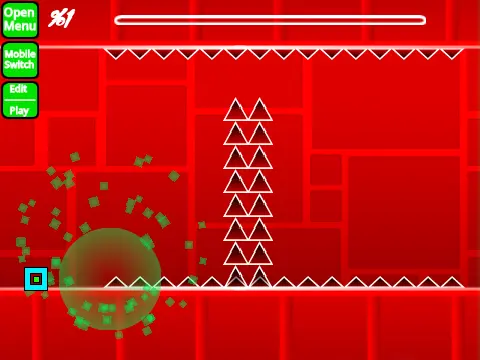
This project transforms you from player to creator. It's a comprehensive, in-browser level editor built within the Geometry Dash framework, allowing you to design, test, and conceptualize your own challenging stages. Be advised: complex levels may cause lag; using Turbowarp or the in-built Turbo Mode is highly recommended for smoother editing and gameplay.
Powerful Editor with Extensive Features
The editor is packed with tools from official Geometry Dash and community creations. Key features include:
- Full Gameplay Modes: Cube, Ship, Ball, UFO, Wave, Robot, Spider, and Swing Copter.
- Advanced Triggers: Move, Alpha, Instant Count, Color, Pulse, and more for dynamic level design.
- Complete Portal System: Gravity, Size, Teleport, Mirror, Dual, Mini, and Speed portals.
- Customization: Add your own music by replacing tracks in the backdrop, use custom blocks, decorations, dangers (spikes, saws), slopes, pads, and orbs (including dash orbs).
- Save & Load System: Utilize save codes (9 to save, 0 to load) or simply remix the project to preserve your level progress.
- Visual Options: Toggle between Low Detail Mode (LDM) and High Detail Mode, work with a grid, and access a debug menu.
Detailed Control Schemes
The interface is managed through a robust set of keyboard controls:
General & Mode Toggle
- [Z] / [M]: Switch between Editor Mode and Play Mode.
Player & Practice Controls
- Click / Tap: Jump, fly, activate orbs, switch gravity.
- [I] / [O]: Toggle "No-Clip" mode options.
- Practice Mode: Press [Z] to place a checkpoint.
- End Screen: Rate the level using keys 0-9.
Editor Controls (Comprehensive)
- Block Selection: [1] / [3] cycle block menus. [4] / [5] cycle blocks within a menu. [2] selects the eraser.
- Block Manipulation: Click to place. [R] to rotate, [T] for 45-degree rotation. [E] shows rotation/nudge menu. [Z] picks a block color/style.
- Special Menus: [F] for Trigger menu. [B] for Detect menu. [O]+[P] opens the Debug menu. [I]/[O] for settings.
- Editor Utilities: [R]+[O] resets rotation/nudge. [9] saves level code. [0] loads level code.
Development Roadmap & Community
The editor is under active development. Version 2.0 plans promise even more features like 3D objects, colored blocks with glow, thorns, swing copter mechanics, and fade triggers. This tool is ideal for Geometry Dash enthusiasts who want to experiment with mechanics, create challenges for friends, or learn the basics of level design without needing the full game. Remember, advertising in comments is only permitted if related to this specific editor project.



















































Discuss geometry dash