Geometry dash VerticalFizzver
Geometry Dash VerticalFizzver: A Custom Scratch-Based Level Editor with Advanced Features
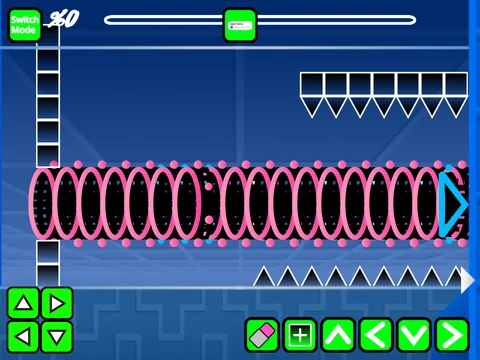
Experience the creative freedom of Geometry Dash VerticalFizzver, a robust Scratch-based level editor that provides comprehensive tools for designing custom Geometry Dash experiences. This platform comes with an important performance note: to ensure smooth operation, it's highly recommended to use Turbowarp or activate Turbo Mode, though the latter offers slightly reduced effectiveness compared to the dedicated Turbowarp environment.
Customization and Saving Features
The editing interface presents a complete suite of creation tools. Start by customizing your level's soundtrack through the backdrop menu, where you can remove existing tracks and import your preferred music files. When it comes to preserving your work, the process is straightforward: simply remix the project when beginning a new level, then save the project file whenever you need to capture your progress.
Comprehensive Control Schemes
Navigating between creation and testing is seamless with dedicated control schemes. Toggle between editor and play modes using the Z and M keys. In gameplay, click to execute jumps, activate flight, change gravity, or interact with various orbs and mechanics. For troubleshooting or exploration, press I and O simultaneously to enable no-clip mode, allowing unrestricted movement through your creation. Once your level reaches its conclusion, use the 0-9 keys to rate the experience.
Advanced Editor Functionality
The editor itself offers extensive functionality. Cycle through block menus with keys 1 and 3, while 4 and 5 navigate options within each menu. Select the eraser tool with key 2, access settings with I and O, and enter debug mode with O and P. Placement is intuitive—click to position blocks, use R to rotate them, and combine R with E to access rotation and nudge adjustments. Reset these modifications with R and O, or open the trigger menu by pressing F.
Version Evolution and Features
Version history highlights continuous improvements. Version 1.3 introduced mobile editing controls, while 1.2 added numerical indicators to the progress bar. Version 1.1 implemented the progress bar itself, and the foundational 1.0 release established the complete framework including blocks, platforms, decorative elements, gravity portals, seven distinct game modes (cube, ship, ball, UFO, wave, robot, and spider), pads, orbs, color triggers, hazards, slopes, dash orbs, specialized blocks, mini/mirror/dual portals, saws, gears, and speed modifications.
This editor empowers creators to build, test, and share their Geometry Dash-inspired levels with precision and flexibility, offering both straightforward gameplay and deep creative possibilities within the Scratch ecosystem.



















































Discuss geometry dash