Geometry Dash Subsuming Vortex
Geometry Dash Subsuming Vortex: Play & Create
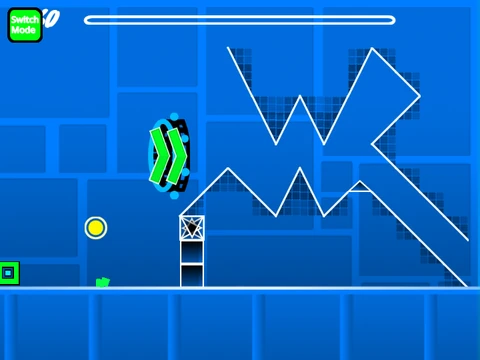
Geometry Dash Subsuming Vortex is a dual-purpose project: it's both a challenging, creator-proud custom level and a fully-featured level editor built within Scratch. This offers two distinct experiences: testing your skills on a difficult pre-made stage, or unleashing your creativity to design and build your own Geometry Dash levels from scratch.
The Challenge: Subsuming Vortex Level
The included level, "Subsuming Vortex," presents a significant challenge with a noted difficulty spike in its mini-wave and dual gameplay sections, the latter being described by the creator as the hardest part. The balancing intentionally focuses difficulty here, providing a tough but fair test for experienced players. The creator welcomes others to decorate and polish the level's visual design further.
Comprehensive In-Browser Level Editor
The integrated editor is powerful and detailed. Key features include:
- Music Integration: Delete the default backdrop music and import your own MP3 files directly.
- Save System: Save your progress by remixing the main project. Your level data is stored within the saved Scratch project file.
- Extensive Object Library: Place blocks, platforms, decorations (pulsing, chains), all character forms (cube, ship, ball, UFO, wave, robot, spider), pads, orbs, color triggers, dangers, slopes, dash orbs, and environmental objects like saws and gears.
- Portal Mechanics: Utilize gravity, mini, mirror, dual, and speed-changing portals.
- Advanced Tools: Access a trigger menu, rotation/nudge controls, a debug menu, and mobile-friendly editing controls added in version 1.3.
Controls & Performance Notes
Switch between Editor Mode (Z/M keys) and Play Mode seamlessly. In Play Mode, click to control your character. Use I/O keys for no-clip options during testing. The editor uses keys 1-5 for block menus and eraser, R for rotate, and F for the trigger menu.
Important Lag Warning: The editor can be resource-intensive. For the best experience, use Turbowarp or enable Turbo Mode in Scratch, though Turbo Mode is noted as less effective. A progress bar and version history (1.0-1.3) track the editor's development.



















































Discuss geometry dash