Geometry Dash Straight Fly Practice
Geometry Dash Straight Fly Practice: Master Flight & Create Levels
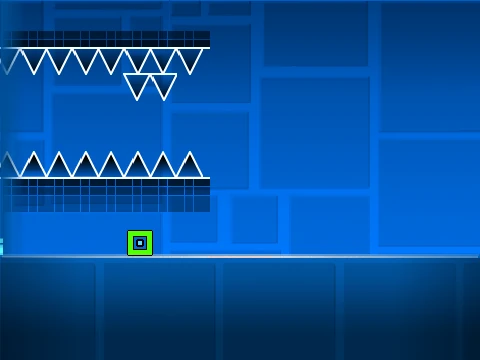
Geometry Dash Straight Fly Practice is a unique work-in-progress (W.I.P.) custom level that doubles as both a challenging gameplay experience and a powerful level editor. Its primary goal is to help players master the notoriously difficult “straight fly” technique, a core skill for advanced Geometry Dash gameplay.
Comprehensive Character Controls & Physics
Navigate through the level using intuitive controls: press [Up], [W], [Space], or click to jump in cube mode, and always be vigilant to avoid spikes. The game meticulously simulates each character’s unique physics:
- Ship & Wave: Hold to ascend, release to descend.
- Ball & Spider: Tap to move up, tap again to move down.
- UFO: Click for a jump-like flight impulse.
- Robot: Hold for a higher jump than the cube.
Collect coins for bonus points and press [L] to toggle visual effects, optimizing performance by reducing lag.
Integrated Level Editor & Customization
The true standout feature is the integrated editor. Press [Z] + [M] simultaneously to enter edit mode and build your own straight fly challenges. Use number keys 1 through 9 to place objects:
- 1: Normal Blocks/Platforms
- 2: Non-Solid Platforms
- 3: Spikes & Dragons
- 4: Long Platforms
- 5: Portals, Jump Pads, Orbs
- 6: Speed Portals
- 7: Slopes
- 8: New Pits
- 9: Spiked Slopes & more.
For advanced visual customization, you can edit the background via the player code, adjusting backdrop IDs and the background sprite’s “ghost effect” value. This fusion of practice tool and creation suite makes it an invaluable resource for aspiring Geometry Dash creators.



















































Discuss geometry dash