Geometry dash mini wave spam chal
Build Your Own Challenge: Geometry Dash Level Editor
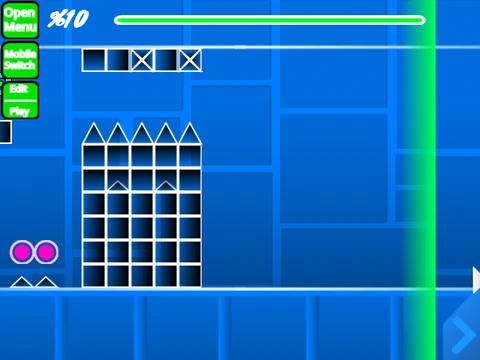
Step into the creator’s seat with the “Geometry Dash Mini Wave Spam Chal” editor, a powerful Scratch-based tool for building your own Geometry Dash levels. A heads-up: complex creations may cause lag, so using the provided Turbowarp link or enabling Turbo Mode is highly recommended for a smoother editing experience.
Comprehensive Editing Toolkit
This is a comprehensive editor packed with features. Start by adding your own soundtrack through the backdrop. The control scheme is deep and designed for precision. Toggle between Play and Editor modes with Z and M. In the editor, cycle through extensive object menus (blocks, decorations, triggers, dangers) using keys 1, 3, 4, and 5. Place, rotate (R for 90°, T for 45°), and fine-tune objects (E key). Advanced tools include an eraser (2), block picker (Z), trigger menu (F) for effects like move and alpha, detection menu (B), and save/load functions (9 and 0). In practice mode, set checkpoints with Z.
Feature-Rich Development & Saving
The editor’s evolution is notable. Version 1.0 established the core: all main game modes (Cube, Ship, Wave, etc.), orbs, portals, speed changes, and basic blocks. Version 1.2 added percentage numbers. The ambitious 2.0 update massively expanded possibilities with save codes, colored/glowing blocks, 3D objects, keys, coins, the Swing Copter mode, and advanced triggers. To preserve your work, simply remix the project initially and then use Scratch’s native save function. Unleash your creativity and build the next viral challenge.



















































Discuss geometry dash