geometry dash mini wave simulator have fun
Geometry Dash Mini Wave Simulator Have Fun - Custom Wave Practice Tool
Geometry Dash Mini Wave Simulator Have Fun provides players with a versatile wave practice environment featuring customizable visual effects and control options. This simulator allows you to master wave mechanics through adjustable parameters and engaging visual feedback.
Interactive Features and Controls
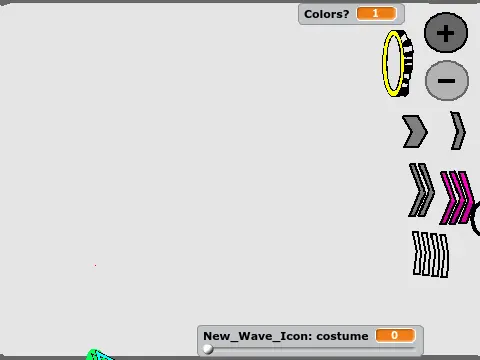
Activate vibrant rainbow visual effects using the plus button and toggle them off with the minus button for customizable gameplay aesthetics. Manipulate gravity dynamics through yellow and blue portals that instantly reverse your movement direction. The simulator offers four precise speed settings controlled by intuitive arrow indicators: thick single arrow for slow-paced practice, thin single arrow for normal wave speed, double arrow for accelerated 2x velocity, and triple arrow for challenging 3x speed (note that triple speed may experience occasional performance fluctuations).
Audio Experience and Development Background
Enjoy the popular NC song integrated into the simulator for enhanced rhythmic gameplay. This project represents a significant community milestone as the creator's first externally appreciated work, receiving both favorites and loves from other players. Developed with efficiently coded wave mechanics created in just one day, the simulator demonstrates how focused development can produce effective practice tools for Geometry Dash enthusiasts.
Practical Training Value
Ideal for players seeking to improve their wave control precision, timing accuracy, and pattern recognition skills. The customizable parameters allow gradual skill progression from basic wave movements to advanced speed challenges, making this simulator valuable for both beginners learning wave fundamentals and experienced players refining their techniques for difficult Geometry Dash levels.



















































Discuss geometry dash