geometry dash levels 1-10 v2
Geometry Dash Levels 1-10 v2: Technical Expansion with Customization
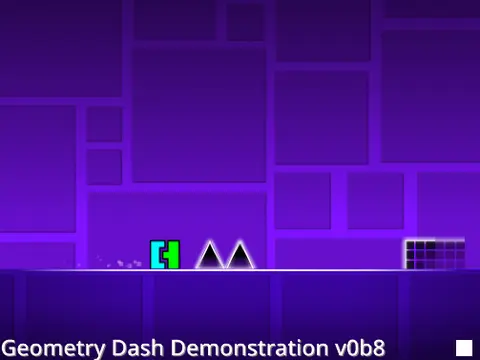
Experience ten complete Geometry Dash levels with advanced technical configurations, performance optimization options, and comprehensive customization features. This v2 Scratch project offers extensive control over gameplay parameters while maintaining authentic platforming mechanics across multiple stages.
Advanced Control & Configuration System
- Variable Display: Press V to reveal level selection and game timing adjustment options
- Scroll Mode Toggle: Use Z key to switch between scrolling modes for different navigation styles
- Manual Navigation: Arrow keys provide direct control over level exploration
- Frame Rate Optimization: Press B to set base framerate (240 fps recommended for optimal performance)
- Alternative Platform: Turbowarp version maintains consistent 60 fps for systems experiencing frame skipping
Technical Implementation & Physics
This project incorporates precise physics calculations documented through Desmos resources, ensuring authentic Geometry Dash movement mechanics. The technical foundation supports complex platforming challenges across ten levels while providing customization options rarely seen in Scratch-based adaptations.
Development Roadmap & Future Features
The project maintains an active development trajectory with planned enhancements including integrated object loader systems, advanced clone handling with layering prioritization, full RGB object support requiring multiple clones per element, additional levels (Clutterfunk and Theory of Everything), new gameplay modes (mini and UFO variations), and improved effects/particles handling systems. These planned features demonstrate the project's commitment to technical excellence and gameplay expansion.
Performance Considerations
Players can optimize their experience through multiple configuration layers: base framerate adjustments, alternative platform access for consistent performance, and variable-based customization. The project balances technical complexity with accessibility, offering both straightforward controls for casual play and advanced options for experienced players seeking precise customization.



















































Discuss geometry dash