







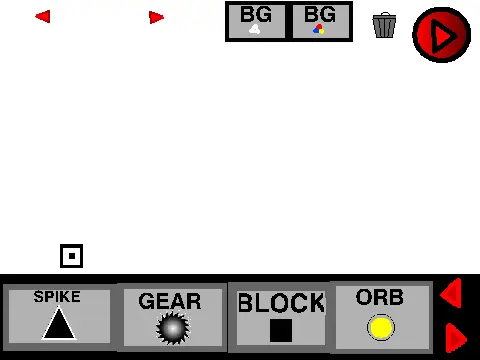
geometry dash level editor
Geometry Dash Level Editor V4: Intuitive Object Manipulation
Inspired by bonewhisker, this Geometry Dash Level Editor V4 focuses on intuitive, real-time object manipulation, perfect for visual creators. The standout feature is its dynamic editing system. While you are holding an object, you can instantly modify its properties using specific keys.
Real-Time Editing Controls
The control scheme is central to this editor's design:
- Hold an object, then press and hold ‘Q’ to rotate it.
- Press and hold ‘W’ to cycle through different types or variants of the selected object.
- Press and hold ‘E’ to change the object's color.
Important: The Q, W, and E keys must be pressed
while you are still holding the object for the changes to take effect.
Test & Contribute
After designing your level, hit the play button to jump right into testing your creation. The developer community is involved, as you are encouraged to comment on any glitches or bugs you find. This feedback loop is vital for improving the tool's stability and functionality.
Perfect For Rapid Prototyping
This editor excels at quick and visual level design. The ability to rotate, change types, and recolor objects on the fly without navigating complex menus makes it a great choice for beginners learning GD mechanics or experienced designers wanting to quickly block out ideas. Dive in and start shaping your unique Geometry Dash challenges with this hands-on tool.
Discuss geometry dash









































