geometry dash level editor 3.1
Geometry Dash Level Editor 3.1: Enhanced Creation Tools
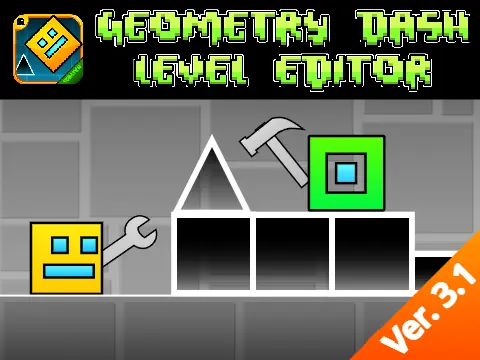
Geometry Dash Level Editor 3.1 represents a significant upgrade to the popular level creation toolkit, offering expanded creative possibilities for Geometry Dash enthusiasts. This enhanced version introduces substantial improvements across multiple aspects of level design and gameplay customization.
New Features and Visual Enhancements
The editor now includes fresh brick and tile blocks that provide additional aesthetic options for level construction. Player costumes have been expanded, allowing for greater character personalization. Visual improvements are evident in the upgraded dash orbs, which feature smoother animations for better gameplay feedback.
A practical progress bar addition, credited to @KingCuddles314, helps creators efficiently track their level development. Several object costumes have been redesigned for improved visual appeal, and the attempt counter now supports up to 9999 attempts. During gameplay pauses, a personal best bar appears to monitor performance metrics.
Comprehensive Control System
The intuitive control scheme offers multiple input options: use [up], [w], [space] or click to jump, including interaction with jump rings. Ship mode mechanics require holding to ascend and releasing to descend. Jump pads provide high jumps, while collecting coins offers bonus points. Press [L] to toggle visual effects for optimal performance on various systems.
Organized Editor Interface
The editor features a well-organized tab system with nine dedicated categories:
- Tab 1: Blocks including the newly added brick and tile blocks
- Tab 2: Inside geometry elements
- Tab 3: Spikes and obstacle components
- Tab 4: 4-long blocks for extended constructions
- Tab 5: Special items and unique elements
- Tab 6: Speed Portals and additional mechanics
- Tab 7: Slopes and related terrain features
- Tab 8: New pits and depth elements
- Tab 9: Monsters and expanded content
Edit Mode and Additional Resources
Access the full creative toolkit by simultaneously pressing [Z] and [M] to enter edit mode. This comprehensive editor provides Geometry Dash creators with expanded tools and improved functionality for crafting engaging, challenging levels. For additional projects, resources, and community content, visit the developer's studio at https://scratch.mit.edu/studios/25857070/.
Geometry Dash Level Editor 3.1 stands as an essential tool for serious level creators, offering enhanced customization options, improved visual feedback, and organized content management for superior Geometry Dash level design experiences.



















































Discuss geometry dash