geometry dash level editor
Geometry Dash Level Editor 2.98: Build & Test Custom Levels
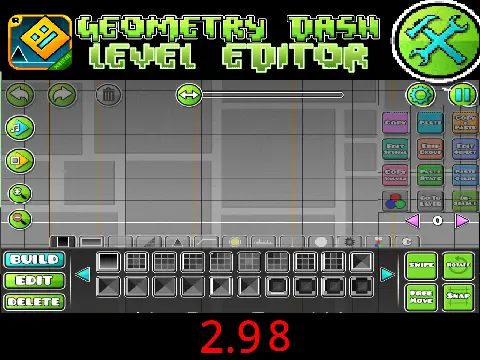
This Geometry Dash Level Editor version offers a robust toolset for creating and testing custom levels. A key feature is the comprehensive editor, accessible by pressing ‘Z’ and ‘M’. It organizes objects into nine distinct categories using number keys 1-9, allowing you to place everything from basic blocks and spikes to special items, speed portals, slopes, monsters, and decorative pits.
Core Gameplay & Testing
The playtest mode includes standard GD mechanics: jump using [Up], [W], or [Space], avoid spikes, and collect coins for bonus points. In ship mode, hold to ascend and release to descend. Pressing ‘L’ toggles visual effects, a useful feature for managing performance during complex builds.
Version Updates & Key Features
The editor has been refined through several updates. Version 2.93 introduced attempt messages and jump/dash orb glow. 2.94 fixed issues with the mirror robot and spider, tweaked dual cubes, and added the crucial noclip function (activated with ‘N’). 2.95 focused on fixing slopes and texture adjustments, while 2.97 and 2.98 addressed various graphics and stability issues, providing a smoother editing experience.
Why Use This Editor?
This tool is perfect for aspiring creators. The categorized object palette (1-9 keys) streamlines the building process. The noclip mode (‘N’) is invaluable for freely navigating and testing level geometry without collision restrictions. Whether you're crafting a simple platformer or a complex demon level, this editor provides the essential functions to bring your Geometry Dash level design ideas to life.



















































Discuss geometry dash