Geometry Dash Level hardest level
Geometry Dash Level 20: The Pinnacle of Platforming Difficulty
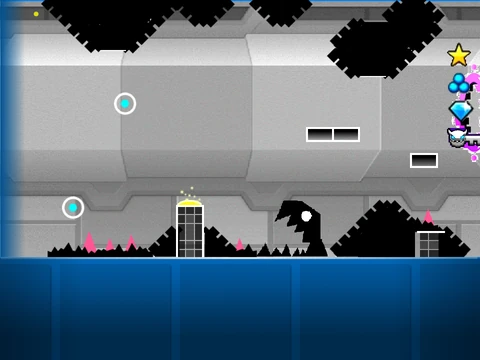
Prepare for the ultimate test of skill, timing, and perseverance with Geometry Dash Level 20, renowned as the "hardest level." This extreme challenge encapsulates everything that makes Geometry Dash demanding: precise jumps, unforgiving obstacles, and complex sequences that will push your platforming abilities to their absolute limit. It's not just a level; it's a gauntlet designed for the most dedicated players seeking the top tier of difficulty.
Core Gameplay & Essential Controls
Navigate this brutal challenge using the standard Geometry Dash control scheme. Execute jumps by pressing [up], [w], [space], or clicking the mouse. These same inputs allow you to interact with yellow rings for specialized maneuvers. Survival depends on meticulously avoiding the ubiquitous spike obstacles. When you enter ship mode, the mechanics shift: hold the jump button to ascend and release it to descend, mastering aerial control amidst tight spaces. For vertical boosts, hit yellow pads to achieve high jumps. Keen-eyed players can also collect scattered coins for bonus points. To help maintain performance during intense sections, press [L] to toggle visual effects on or off.
Powerful Integrated Level Editor & Noclip
This experience comes with a remarkably robust built-in level editor, accessible by pressing [Z] and [M]. This toolset transforms you from player to creator, offering extensive object libraries organized into logical categories. Press number keys [1] through [9] to browse different object palettes:
- 1 - Blocks: Standard construction elements.
- 2 - Inside geometry: Decorative interior pieces.
- 3 - Spikes: The primary hazards.
- 4 - 4 long blocks: Extended platform pieces.
- 5 - Special: Unique interactive objects.
- 6 - Speed Portals and more: Gameplay modifiers.
- 7 - Slopes and more: Angled surfaces and related items.
- 8 - New Pits and more: Environmental hazards and additions.
- 9 - Monsters and more: Animated obstacles and enemies.
For practice and exploration, press [N] to activate noclip mode, allowing you to pass through all obstacles freely. This is an invaluable tool for analyzing the level's layout, planning strategies, or simply experiencing the architecture without the constant threat of failure.



















































Discuss geometry dash