Geometry Dash Holy War layout
Geometry Dash Holy War Layout: A Creator's Playground
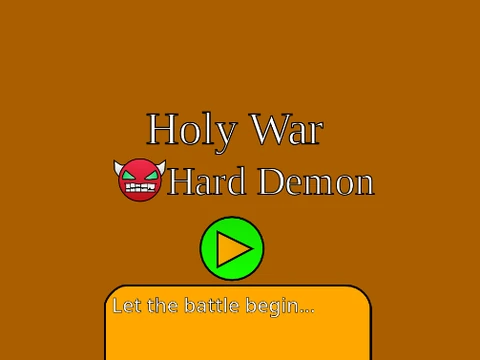
Geometry Dash Holy War Layout is a fully-functional, user-created level built within a sophisticated Scratch-based editor. While its gameplay is complete and ready for challenge, its visual decoration is slated to be finished by the SGDD team. Crafted over two weeks of dedicated work, this project utilizes Editor 2.0.4, chosen for its superior performance and reduced lag compared to later versions, providing a smooth experience for both players and creators.
Powerful Level Editor & Features
This isn't just a level; it's a complete Geometry Dash creation suite. The editor boasts an extensive feature set that mirrors official tools:
- Core Elements: Place blocks, platforms, grid blocks, and decorations like pulsing chains and gears.
- Full Game Modes: Play and design for all forms: Cube, Ship, Ball, UFO, Wave, Robot, and Spider.
- Gameplay Objects: Utilize pads, orbs (including Dash Orbs), color triggers, dangers, slopes, and saws.
- Portals & Speed: Implement Mini, Mirror, Dual, and Speed-changing portals to alter gameplay.
- Advanced 2.0+ Features: Unlock professional tools like Save Codes, Move/Alpha/Instant Count triggers, collectible Keys and User Coins, colored/glowing blocks, Teleport Portals, 3D objects, Thorns, and the Swing Copter mode. Updates added Breakable Blocks, Lasers, and a crucial Size trigger.
- Music & Saving: Easily import custom music via the backdrop. Save your level by saving the Scratch project file after an initial remix.
Comprehensive Controls
Master the dual nature of playing and creating with intuitive controls:
General: Press Z and M to switch between Editor Mode and Play Mode.
Player Controls:
- Click to jump, fly, switch gravity, or activate orbs.
- Press
I/O to toggle 'No-Clip' mode for free exploration.
- On the end screen, rate the level (0-9).
- In Practice Mode, press
Z to place a checkpoint.
Editor Controls:
- Menus: Cycle block menus with
1/3. Cycle blocks within a menu with 4/5.
- Tools: Press
2 for the eraser. F opens the Trigger menu. B opens the Detect menu.
- Placement & Edit: Click to place.
R rotates a block; T rotates 45°. Press E for fine rotation/nudge options, reset with R+O.
- Utility:
Z picks a block. 9 saves your work. 0 loads a save.
- Settings: Access settings with
I/O and debug with O/P.
Play & Create Optimized
Experience the challenging "Holy War" layout as a player, or harness the editor to build your own Geometry Dash masterpiece from scratch. For an optimal experience with less lag, playing on Turbowarp is recommended. A YouTube showcase is available to preview the level. This project stands as a testament to the creative potential within the Geometry Dash community, offering a deep, lag-optimized editing environment for Scratch enthusiasts.



















































Discuss geometry dash