Geometry Dash Fly
Geometry Dash Fly: Advanced Editor with Music Sync
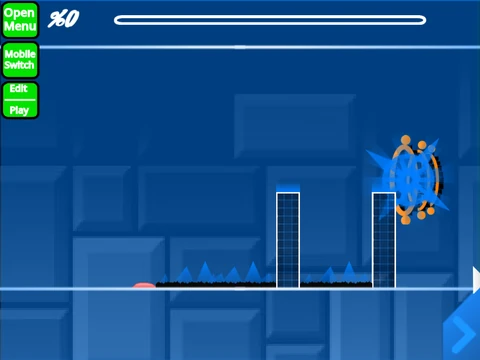
“Geometry Dash Fly” elevates the creative process with a sophisticated, music-synced level editor built within Scratch. Like its counterpart, performance can be an issue with complex levels, so running it via the provided Turbowarp link is the best way to ensure smooth editing and testing of your rhythmic creations.
Precision Tools for Level Crafting
This editor includes all the powerful foundational tools: switching between Edit and Play mode (Z/M), navigating object menus (1,3,4,5), placing and rotating blocks (R, T), using advanced editors for triggers (F) and detection (B), and saving/loading (9,0). Its standout, professional-grade feature is the integrated music synchronization system. Press L to open the sync menu, where you can define beat points by pressing K on the timeline. You can even set beats in real-time while the level plays by pressing K. After a test run, press J to review the sync accuracy—a crucial tool for creating levels that feel perfectly tied to the music.
Designed for Rhythm and Flow
Additional player conveniences include an auto-click spam function (press W when enabled) and a manual level sync button (S). The development of this editor is ongoing, with detailed changelogs maintained separately. Whether you’re crafting a simple platformer or a complex demon level, this editor provides the precise tools, especially its rhythm-focused sync suite, to bring your vision to life. Remember to start your project by remixing it to enable saving.



















































Discuss geometry dash