Geometry Dash demo v2
Geometry Dash Demo V2: A Technical Scratch Prototype
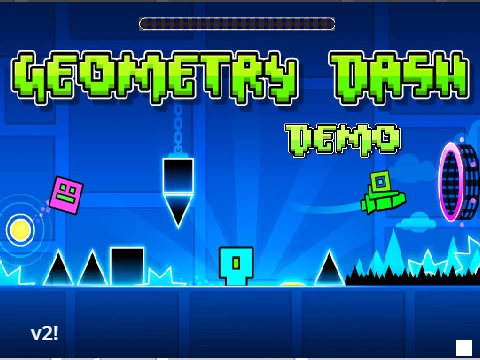
Geometry Dash Demo V2 is not your typical fan game; it's an advanced, in-development technical demo that peeks into the complex engineering behind creating a Geometry Dash-like experience on Scratch. Built with precision and acknowledging its original creator Kouzeru, this project is a fascinating sandbox for players curious about game mechanics and development, though it's presented as an incomplete prototype.
Current State & Important Notes
Be aware that this is a work-in-progress demo. Key features from the official game are absent: there are no coins to collect, and crucially, there is no hit detection (collision) implemented in this version. This means the core challenge of avoiding obstacles isn't active, positioning the demo more as a tech showcase and control tester. The project is also very resource-intensive ("extremely heavy") and may suffer from lag or frame skips on standard hardware.
Advanced Controls & Configuration
Interaction goes beyond simple gameplay. Press the green flag to initialize. Use [space] or the [up arrow] to jump. For developers and tinkerers, press [v] to reveal a variable dashboard where you can select from different test levels and adjust the game's internal timing mechanics. Toggle the editor-style scroll mode with [z] and pan around using the WASD keys. To achieve the most accurate physics simulation, press [b] and set the base framerate to the recommended 240 FPS.
Performance Optimization & Technical Details
If you experience severe performance issues, the creator has supplied a solution: a forked version on TurboWarp (a faster Scratch player) specifically configured to run at a smooth 60 FPS. This demonstrates a commitment to playability despite the project's complexity. The demo runs on a custom-built physics engine, with the mathematical formulas publicly available via a linked Desmos calculator, offering transparency into its core mechanics.
Development Roadmap & Future Potential
The public to-do list outlines an ambitious vision for this demo. Planned additions include a sophisticated object loading system, an advanced handler for objects and clones with better layering, support for full RGB object coloring, the introduction of iconic levels like Clutterfunk and Theory of Everything, new game modes (mini and UFO), and a complete overhaul of the visual effects system. For fans of game development or those who enjoy exploring cutting-edge Scratch projects, Geometry Dash Demo V2 provides a unique and insightful experience.



















































Discuss geometry dash