Geometry Dash challenge 18
Geometry Dash Challenge 18: A Full-Fledged Scratch Level Editor
Step into the role of both creator and player with “Geometry Dash Challenge 18”, a comprehensive level editor project originally crafted by Scratch creator @captainflufball. This tool empowers you to design custom Geometry Dash levels with a surprisingly deep feature set. Note: for optimal performance, using the Turbowarp environment is highly recommended over Scratch's standard player.
Complete Level Creation Toolkit
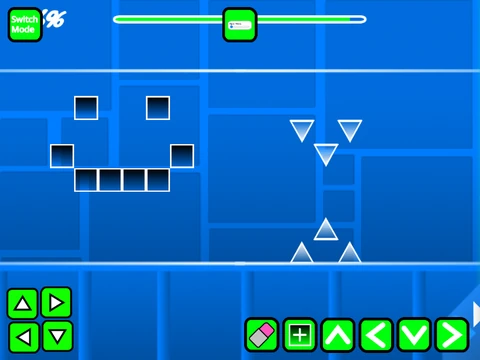
This project functions as a dual-mode system. Switch between editor mode and play mode instantly using the ‘Z’ and ‘M’ keys. The building process is streamlined: navigate block menus with ‘1’/’3’, select individual items with ‘4’/’5’, use ‘2’ for the eraser, and place objects with a click. Advanced editing includes rotation (‘R’), a precision nudge menu (‘R’+’E’), and dedicated menus for triggers (‘F’), general settings (‘I’/’O’), and debugging (‘O’/’P’).
Playtest and Customize with Ease
Test your creations with standard Geometry Dash controls (click to jump/fly). A handy ‘no-clip’ option (toggled with ‘I’ and ‘O’) allows for effortless layout checking. Finish your level by adding custom music directly in the backdrop and save your work via Scratch's “Remix” function. Players can rate completed levels from 0-9 on the end screen.
Evolution and Features
Starting from its 1.0 foundation—which included all core gameplay modes, blocks, portals, orbs, and triggers—this editor has grown. Updates added a progress bar (v1.1), numeric percentages on it (v1.2), and crucial mobile editing controls (v1.3). It stands as a robust, community-driven platform for anyone interested in Geometry Dash level design on Scratch.



















































Discuss geometry dash