Geometry Dash challenge 1
Geometry Dash Challenge 1: Your Ultimate Scratch-Based Level Creator
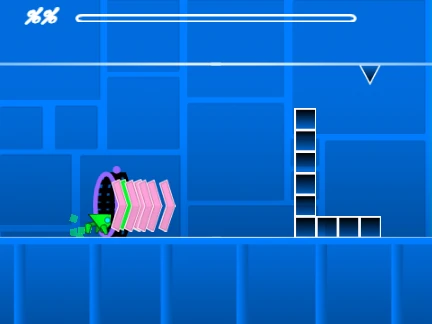
This game is a fully-featured Geometry Dash style level creation tool, built entirely on the Scratch platform. It provides a complete environment for designing, testing, and sharing your own rhythm-based platforming challenges. Please note that due to its complexity, the editor may experience lag. For the optimal creative experience, it is highly recommended to run this project in a more powerful Scratch editor like Turbowarp, or enable the built-in Turbo Mode (though less effective).
Getting Started & Workflow
To begin crafting your masterpiece, you first need to Remix the project. Want a custom soundtrack for your level? Simply navigate to the backdrop editor, delete the default music, and upload your own audio file. All your hard work is saved via the standard Save Project function in Scratch.
Dual-Mode Controls & Gameplay
The editor operates in two distinct modes, switched seamlessly with the Z and M keys.
- Play Mode: Control your icon with simple clicks to jump, fly, flip gravity, or activate orbs. For testing convenience, press I and O to toggle 'no-clip' mode, allowing you to pass through objects. Upon completing (or failing) a level, use the number keys 0-9 to rate it on the end screen.
- Edit Mode: This is where the magic happens. The controls are deep and intuitive:
- Cycle through block category menus with 1 and 3.
- Browse items within a selected menu using 4 and 5.
- Press 2 to select the eraser tool.
- Access settings with I/O and the debug menu with O/P.
- Click to place any selected object.
- Use R to rotate an object, R+E for fine-tuning rotation/nudge settings, and R+O to reset them.
- Press F to open the powerful Trigger menu for advanced mechanics.
Feature-Rich Toolkit & Evolution
The project is under active development. Version 1.2 improved the user interface by adding numeric readouts to the percentage bar for precise progress tracking. The foundational Version 1.0 launched with an impressive array of creation tools, including: a vast library of blocks, platforms, and decorative elements; gravity portals; all iconic game modes (Cube, Ship, Ball, UFO, Wave, Robot, Spider); pads and orbs; color triggers for visual effects; hazardous objects like saws and gears; and speed-changing portals.
This makes Geometry Dash Challenge 1 a powerful and authentic-feeling level editor within Scratch, perfect for players who want to dive into game design, create custom challenges, or simply enjoy a new batch of player-made Geometry Dash levels online for free.



















































Discuss geometry dash