Geometry Dash CaptainFlufBall Challenge
Geometry Dash CaptainFlufBall Challenge: Wave Practice & Advanced Editor
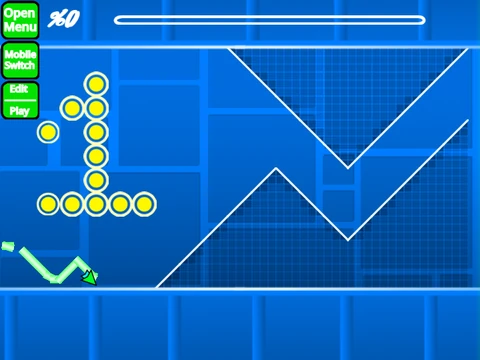
“Geometry Dash CaptainFlufBall Challenge” is a powerful, dual-purpose Scratch project. Primarily designed as a wave practice tool for player @CaptainFlufBall, it has evolved into one of the most capable Geometry Dash level editors available. For the best experience free from lag, playing this project within the Turbowarp environment is essential.
Advanced Level Editing with Save/Load
This editor boasts a professional workflow. Seamlessly switch between building and testing with ‘Z’ and ‘M’. Beyond basic placement and rotation (‘R’, ‘E’ for nudging), it offers specialized menus for triggers (‘F’) and object detection (‘B’). The standout feature is its save and load system: press ‘9’ to generate a save code for your level and ‘0’ to load it back, allowing for persistent project development.
Enhanced Practice and Playtesting
Whether practicing precise wave patterns or testing a new creation, the tools are here. Use standard click controls for gameplay. In practice mode, you can set manual checkpoints by pressing ‘Z’. A ‘no-clip’ mode (toggled with ‘I’ and ‘O’) lets editors fly through levels to inspect layouts. You can fully customize the experience by importing your own music into the backdrop.
From Foundation to Feature-Packed 2.0
The editor's journey highlights significant growth. Version 1.0 established all core Geometry Dash elements. The transformative version 2.0 added game-changing features: the save code system, advanced triggers (Move, Alpha, Instant Count), collectibles like keys and user coins, decorative options (glow, colored blocks), new gameplay with the swing copter, and additional obstacles. This makes it an exceptional resource for serious Scratch-based Geometry Dash creation.



















































Discuss geometry dash