Geometry dash ball challenge v
Geometry Dash Ball Challenge v: Precision Platforming with Creation Tools
Geometry Dash Ball Challenge v delivers specialized ball-mechanic gameplay combined with accessible level editing features, creating a dual-purpose experience for players and creators within the Geometry Dash universe.
Gameplay Mechanics and Controls
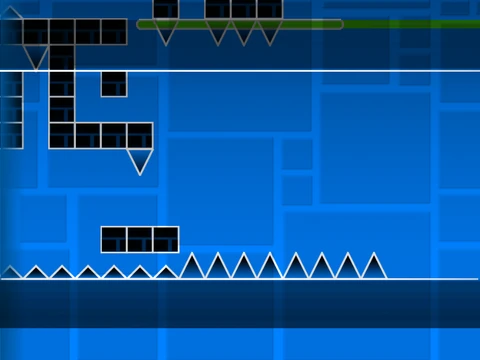
Navigate challenging obstacle courses using arrow up, W key, spacebar, or mouse clicks to control jumps. Special jump rings provide additional aerial opportunities while avoiding deadly spikes. Ship mode segments introduce vertical control complexity where holding inputs causes ascent and releasing triggers descent.
Collection and Customization
Collect coins scattered throughout the level for bonus points, encouraging thorough exploration. Press L to toggle visual effects, allowing performance optimization based on your system capabilities while maintaining visual clarity during intense sequences.
Integrated Editor Mode
Access comprehensive creation tools by pressing Z and M to enter edit mode. The editor features nine organized categories: blocks (including new types), interior geometry elements, spikes, long blocks, special objects, speed portals and mechanics, slopes and terrain features, new pits and hazards, plus monsters and interactive enemies. This system provides aspiring creators with tools to design custom Geometry Dash challenges.
Explore more community content from the creator at their Scratch studio: https://scratch.mit.edu/studios/25857070/. This level successfully merges traditional ball-focused platforming challenges with accessible creation tools, appealing to both gameplay enthusiasts and budding level designers within the Geometry Dash community.



















































Discuss geometry dash